
 Español

Guide - After Approval
Now that your player profile has been approved, please complete the following steps to activate your account and register for tournaments.
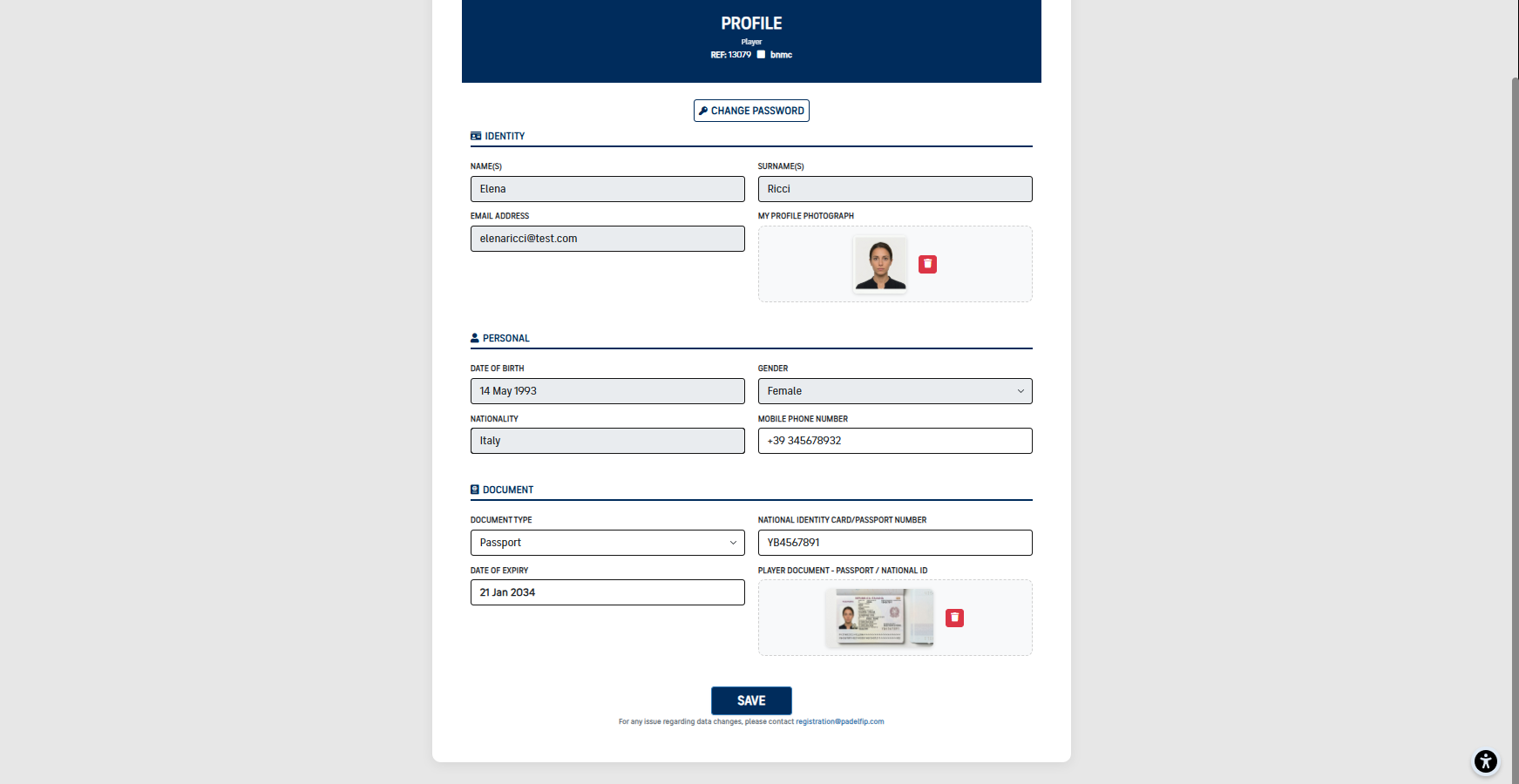
1 Complete the player profile (if required)
If your player profile is incomplete, UNO will automatically redirect you to the page where missing information must be entered. Only after the profile has been fully completed will you be able to proceed with payments and tournament registration.
2 Financial Penalties
After completing your profile, if the sports judge has assigned you one or more financial penalties due to rule violations, the system will automatically redirect you to the dedicated penalties section. From here you can manage your position by choosing from the options described below.


You can settle the fine directly using the available payment methods. If the payment is successful, you will be redirected to a confirmation page with a positive outcome.
You can contest the penalty by stating your reasons for appeal. The sports judge will review your request and notify you of their decision: if the appeal is accepted, a refund process will be initiated; if it is rejected, the fine must be paid in full. The appeal must be submitted within 5 working days of the penalty being issued.
Upon expiry of the payment deadline, the sports judge may issue a new penalty for the same violations and the same tournament. In this case too, an appeal may be requested following the same procedure described above.
If the fine is not paid within the required timeframe, your account will be suspended. While suspended, you will be unable to register for tournaments or perform any other actions until the penalty is fully settled.
If you have filed an appeal, the account suspension will be temporarily lifted for the entire duration of the sports judge's evaluation. Should the appeal be rejected at the end of the process, the suspension will be reinstated until full payment is made.
An appeal may only be filed once per penalty. If the sports judge issues a second penalty for the same violations and the same tournament, and an appeal has already been filed and reviewed for the previous penalty, no further appeal will be permitted.
Important
Failure to meet payment or appeal deadlines will result in automatic consequences for your account. We recommend checking the Penalties section regularly to stay up to date on your status.
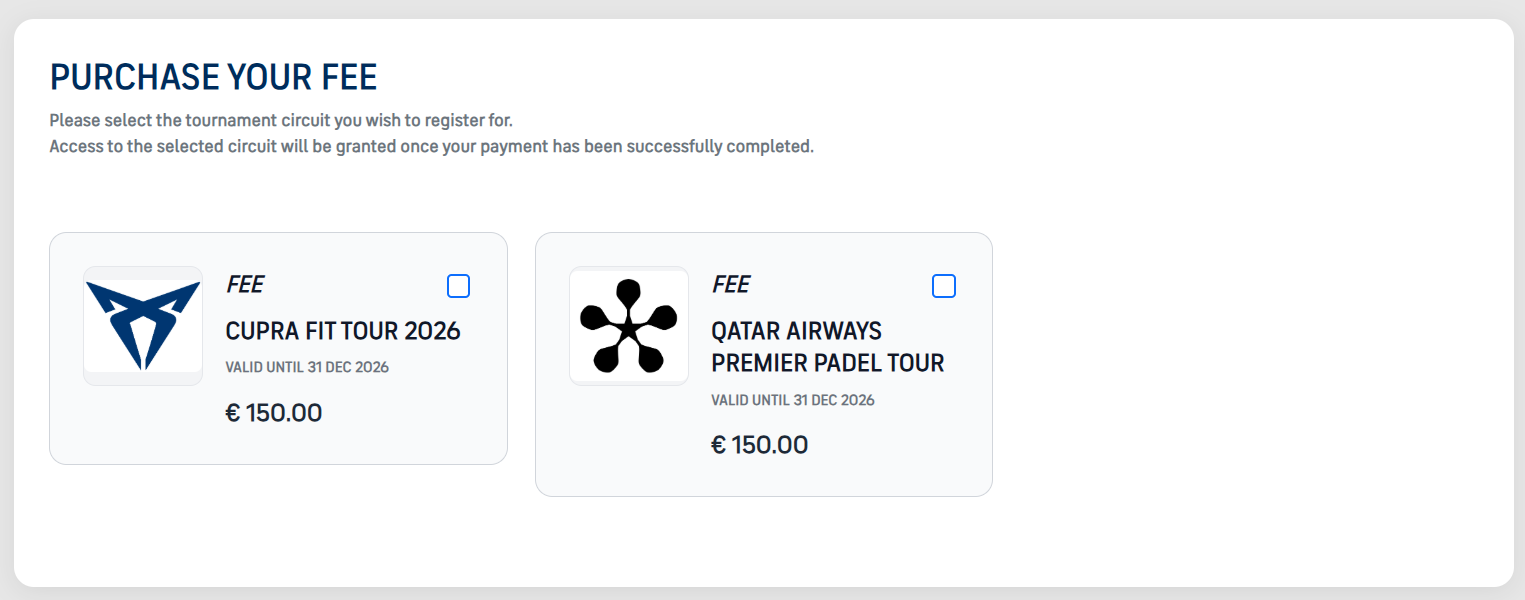
3 Pay the circuit fee (required)
After the profile is complete, UNO redirects you to the payment page for the circuit subscriptions available according to your eligibility. The payment is processed via Stripe.
Important
- Until the circuit fee has been paid, you cannot access the dashboard or register for tournaments.
- The player must NOT pay the circuit fee to the tournament promoter.
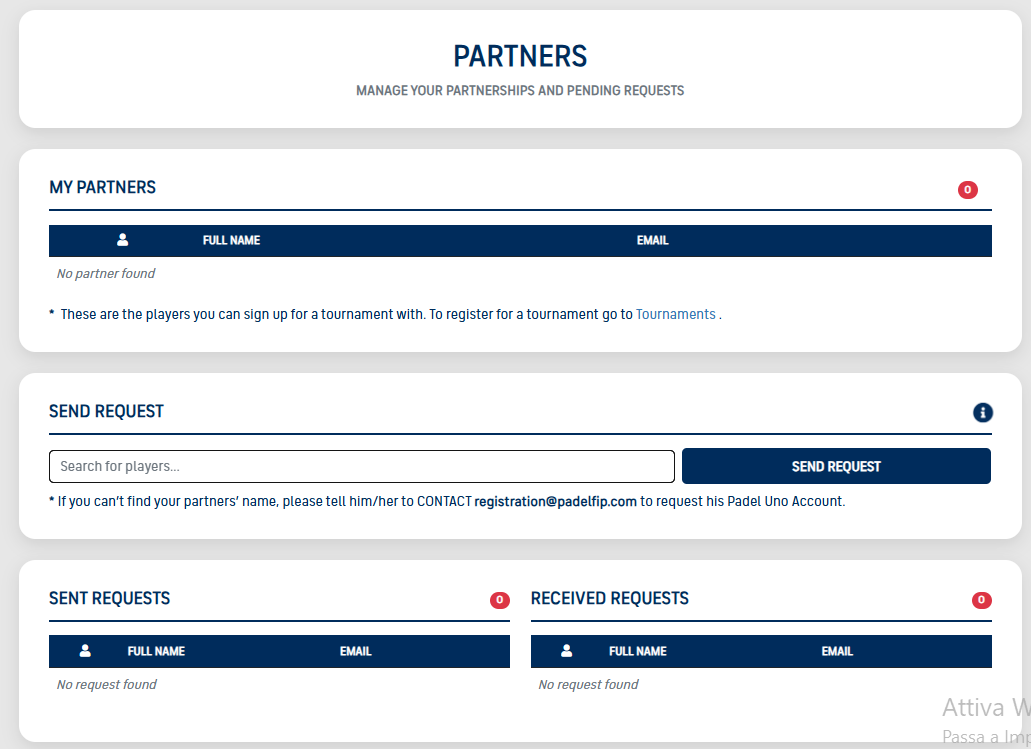
4 Partnership request (this is NOT a tournament registration)
In the Partners section, you can send partnership requests and receive requests from other players. A partnership is required only to link two players together, so they can register together for a tournament later.
Reminder
- Partnership alone does NOT register you for a tournament.
- Partnership only enables future tournament registration as a pair.
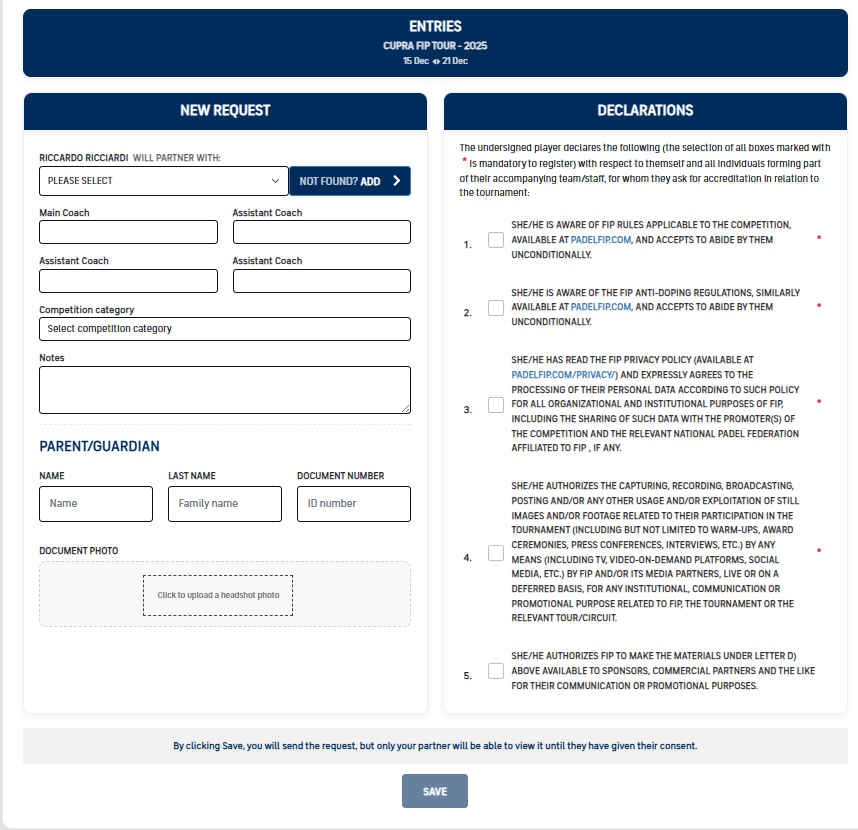
5 Tournament registration request
After completing the profile, paying the circuit fee, and confirming a partner, you can proceed with registering for a tournament.
Important
If you do not yet have a partner, you may send a partnership request at this stage, but you must wait for the partner to accept it before the registration can be completed.
6 Partner confirmation of the tournament registration
After you have completed and saved the tournament registration request, your partner receives a notification and must complete their side.
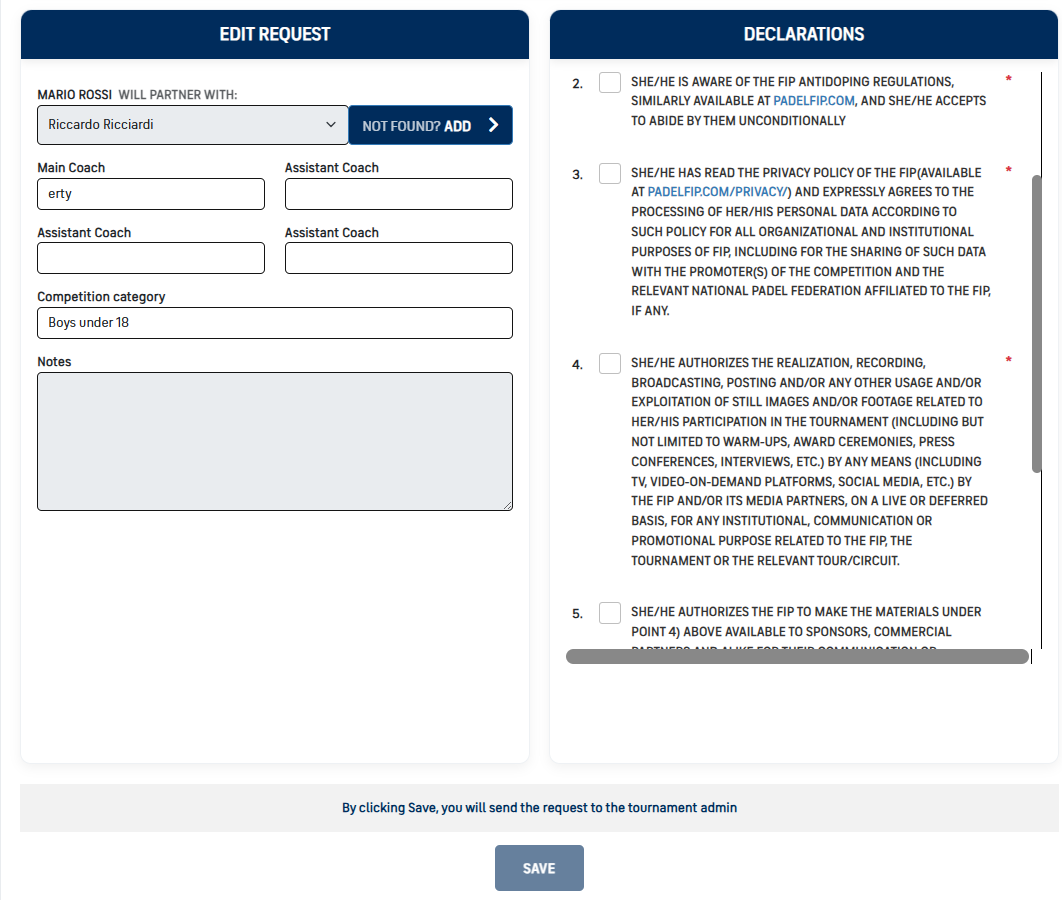
Warning !
You are officially registered only when BOTH players
- ✅ have completed the tournament registration request
- ✅ have saved all required information
To clearly reiterate
- ✅ You are registered ONLY after both partners have completed and saved the tournament registration request.
VERY IMPORTANT – PLEASE READ CAREFULLY
- ❌ Sending/accepting a partnership request does NOT mean being registered for a tournament.
- ✅ You are registered ONLY after BOTH partners complete and SAVE the tournament registration request.