
 Español

Click here
Click the step pills to navigate, and the icons for help.
for more info on how to fill the fields or use
1
Player
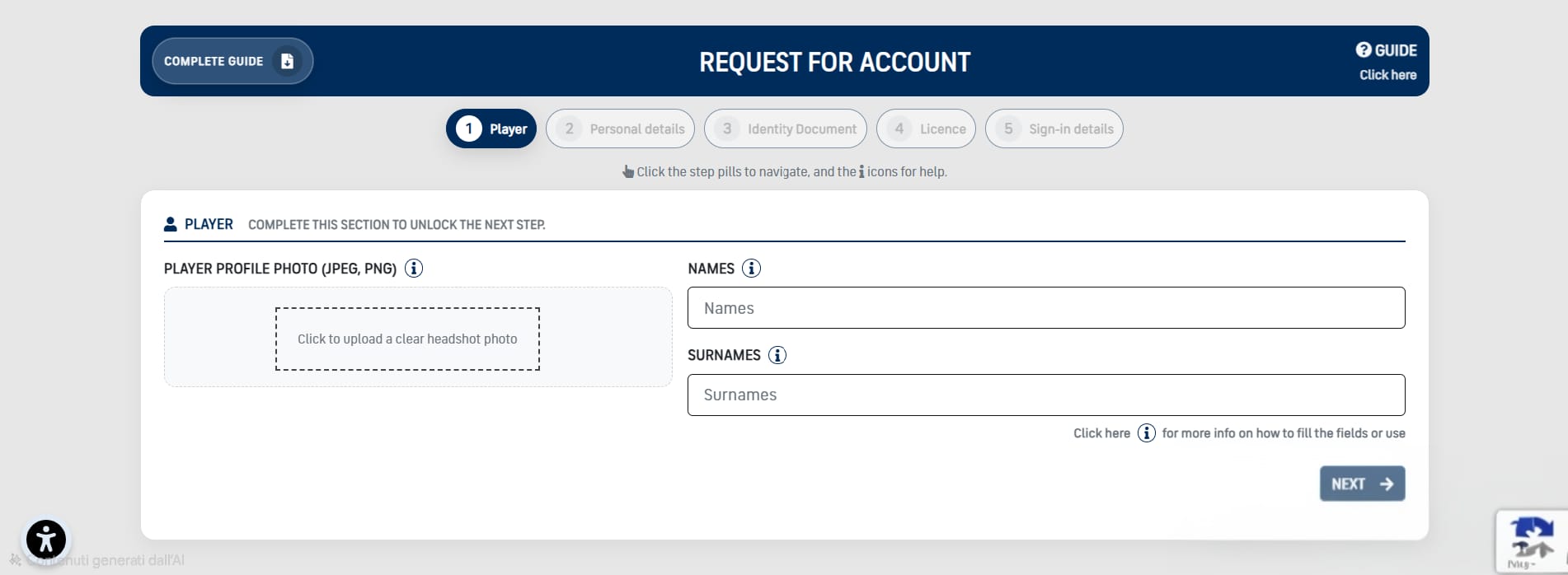
Player
1
Player Photograph (JPEG, PNG)
Upload a clear headshot photo. Face centered, front-facing, neutral background, no filters. Make sure the photo is sharp and not too dark. (JPEG/PNG, max 5MB).
Upload a clear headshot photo. Face centered, front-facing, neutral background, no filters. Make sure the photo is sharp and not too dark. (JPEG/PNG, max 5MB).
2
Names
Latin letters only, no accents. Multiple names allowed separated by a space.
Latin letters only, no accents. Multiple names allowed separated by a space.
3
Surnames
Latin letters only, no accents. Multiple names allowed separated by a space.
Latin letters only, no accents. Multiple names allowed separated by a space.
2
Personal details
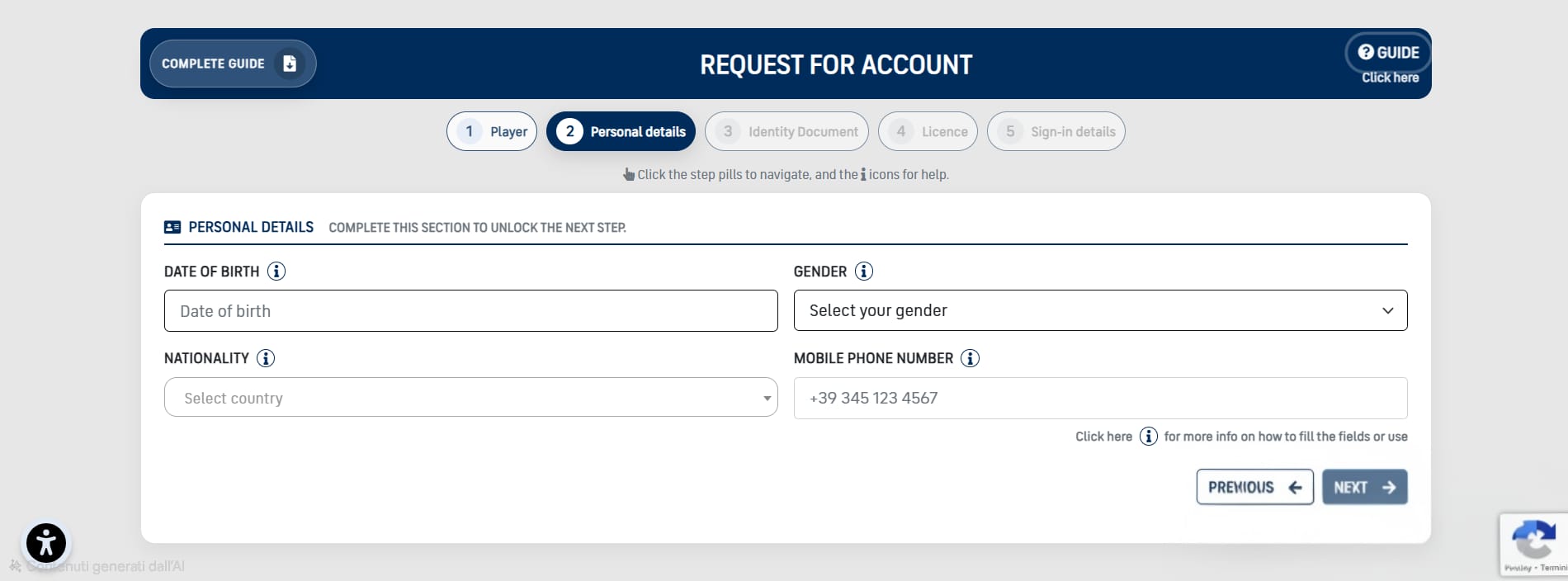
Personal details
1
Date of birth
Select the player date of birth. If the player is a minor, the Legal guardian step becomes mandatory.
Select the player date of birth. If the player is a minor, the Legal guardian step becomes mandatory.
2
Gender
Select your gender
Select your gender
3
Nationality
The country indicated must correspond to the nationality on the passport/ID.
The country indicated must correspond to the nationality on the passport/ID.
4
Mobile phone number
Please enter a reachable mobile number, including country code.
Please enter a reachable mobile number, including country code.
3
Identity Document
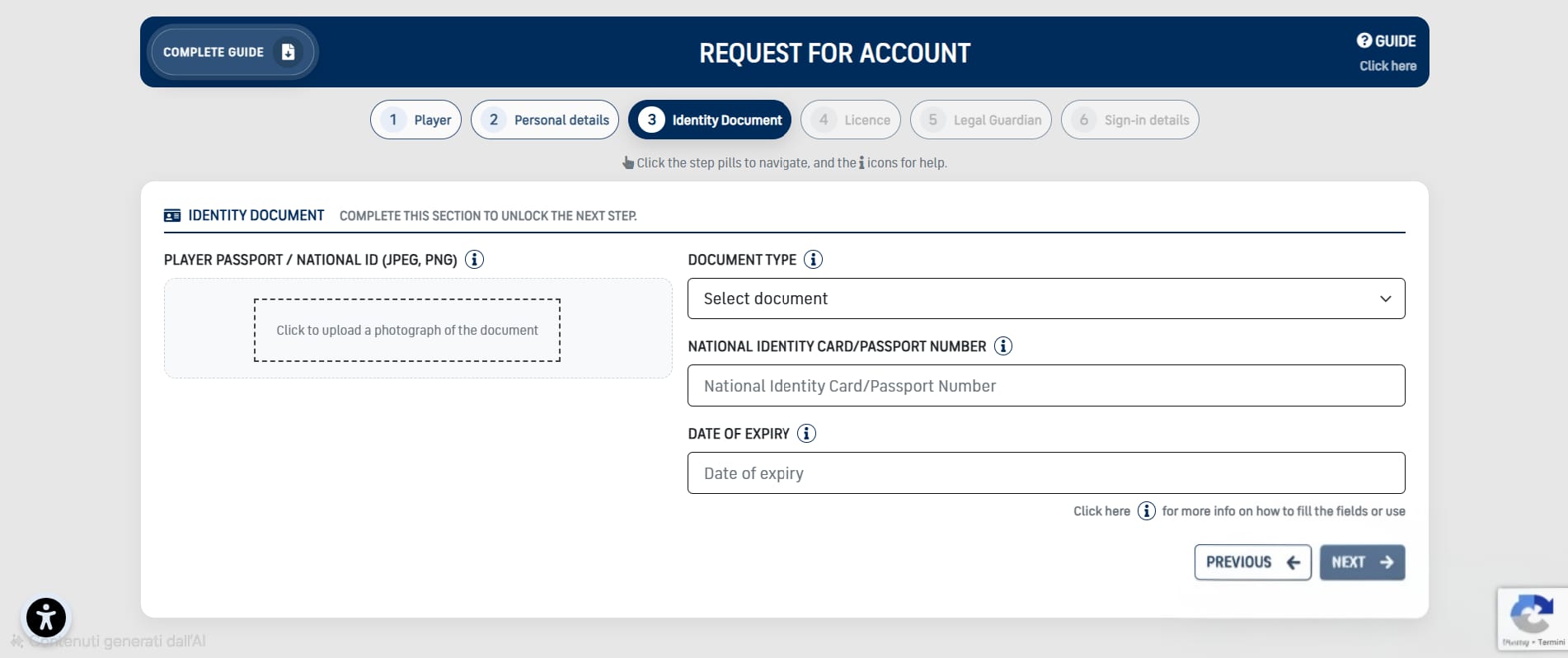
Identity Document
1
Player Passport / National Id (JPEG, PNG)
Upload a clear photo of your passport or national ID. Full document visible (all corners), readable text, and photo not covered. Avoid reflections/flash. No screenshots or cropped/blurred images. (JPEG/PNG, max 5MB).
Upload a clear photo of your passport or national ID. Full document visible (all corners), readable text, and photo not covered. Avoid reflections/flash. No screenshots or cropped/blurred images. (JPEG/PNG, max 5MB).
2
Document type
Select the document type you will upload. The uploaded photo must match the selected type.
Select the document type you will upload. The uploaded photo must match the selected type.
3
National identity card/passport number
Insert the document number exactly as printed.
Insert the document number exactly as printed.
4
Date of expiry
Select the expiry date as printed on the document.
Select the expiry date as printed on the document.
4
License
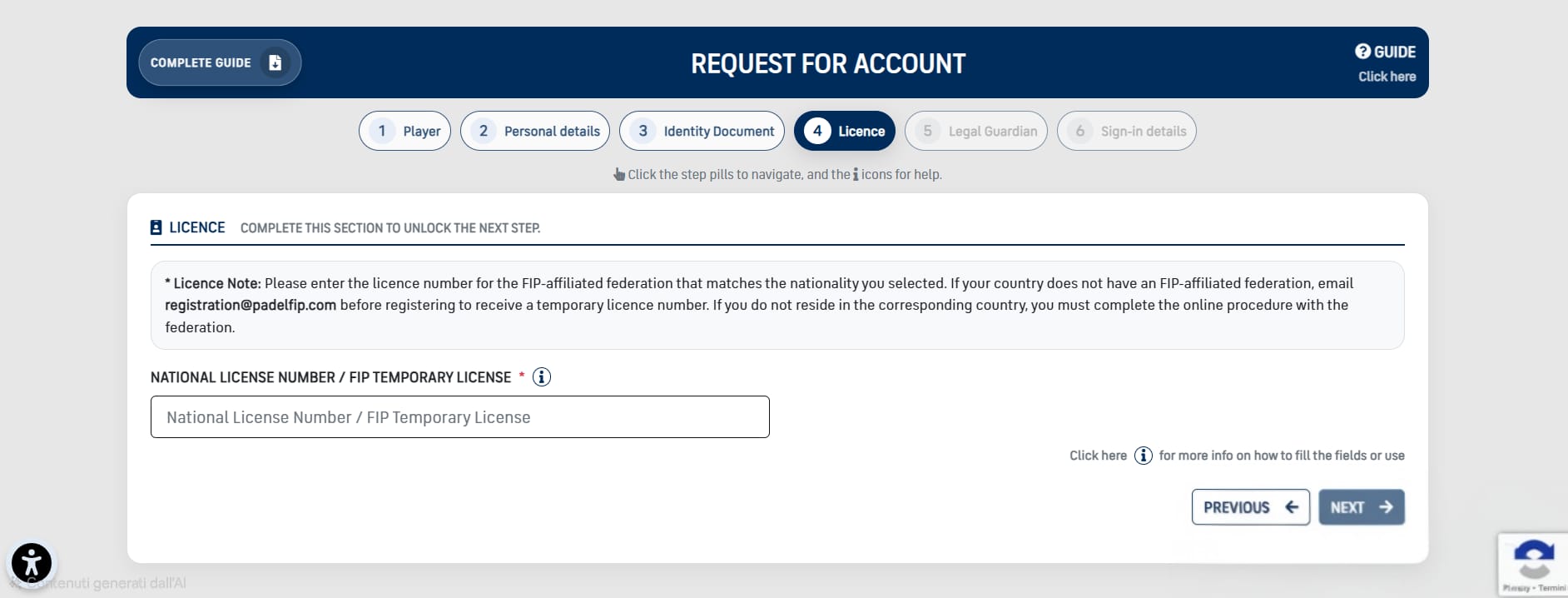
License
1
National License Number / FIP Temporary License
Please enter the license number for the FIP-affiliated federation that matches the nationality you selected. If your country does not have an FIP-affiliated federation, email registration@padelfip.com before registering to receive a temporary license number. If you do not reside in the corresponding country, you must complete the online procedure with the federation.
Please enter the license number for the FIP-affiliated federation that matches the nationality you selected. If your country does not have an FIP-affiliated federation, email registration@padelfip.com before registering to receive a temporary license number. If you do not reside in the corresponding country, you must complete the online procedure with the federation.
5
Legal Guardian
The authorization is granted by the following parent / guardian:
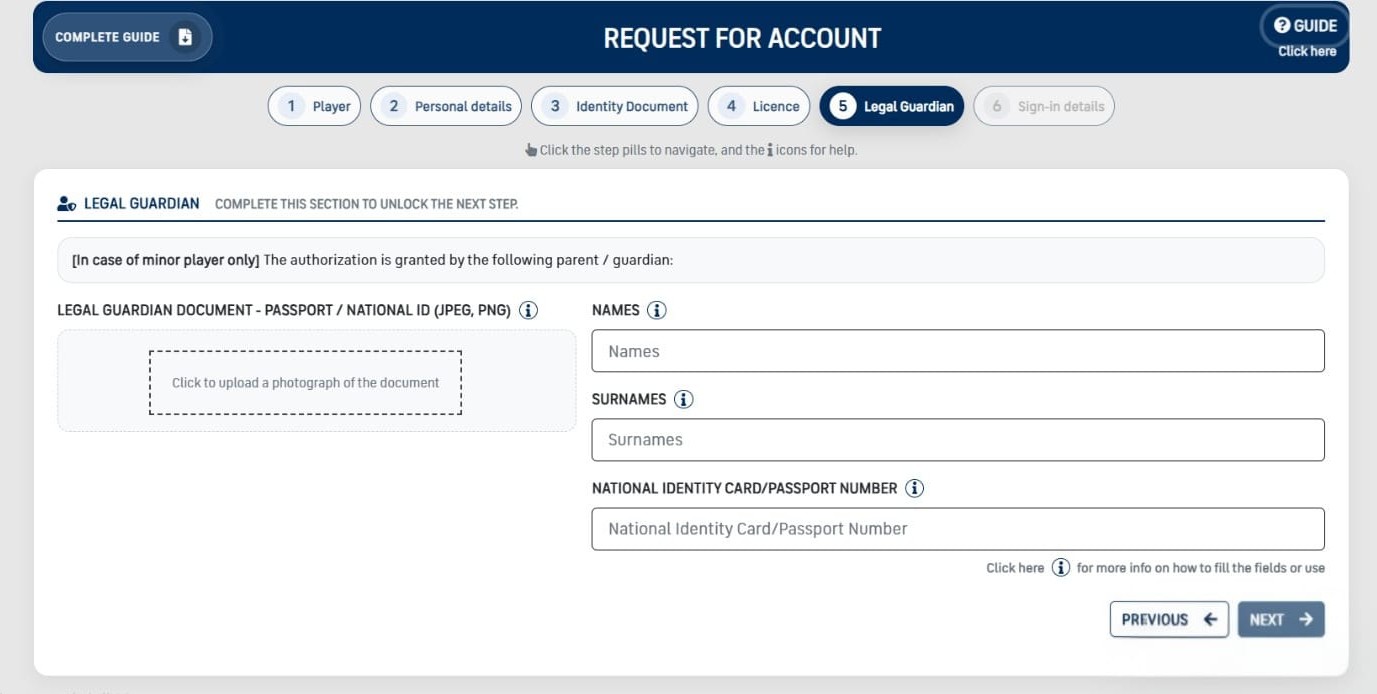
Legal Guardian
1
Legal Guardian Document - Passport / National Id (JPEG, PNG)
Click to upload a photograph of the document (JPEG/PNG, max 5MB).
Click to upload a photograph of the document (JPEG/PNG, max 5MB).
2
Legal Guardian Names
Latin letters only, no accents. Multiple names allowed separated by a space.
Latin letters only, no accents. Multiple names allowed separated by a space.
3
Legal Guardian Surnames
Latin letters only, no accents. Multiple names allowed separated by a space.
Latin letters only, no accents. Multiple names allowed separated by a space.
4
Legal Guardian National identity card/passport number
Insert the document number exactly as printed.
Insert the document number exactly as printed.
6
Sign-in details
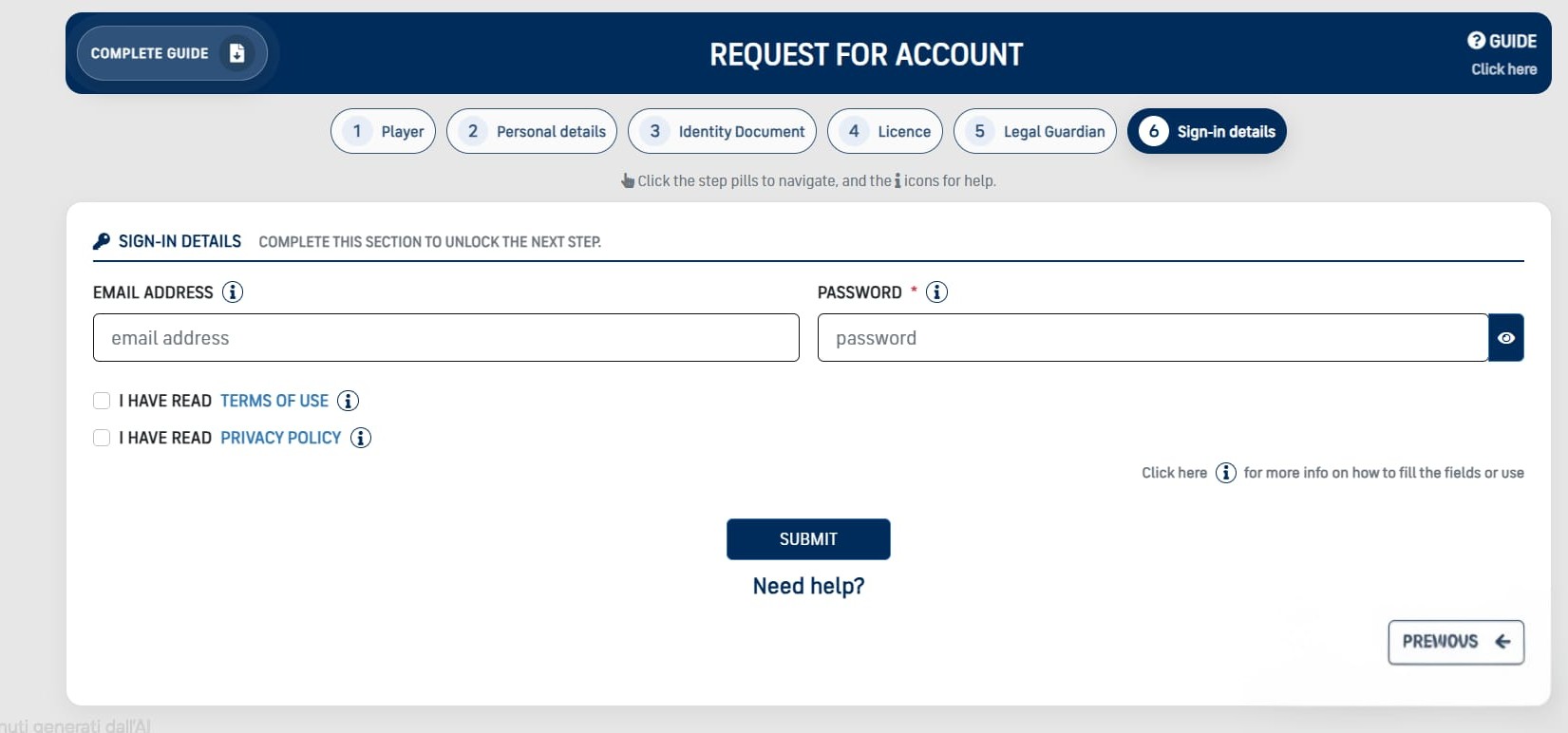
Sign-in details
1
Email Address
Use a valid email you can access.
Use a valid email you can access.
2
Password
Minimum 8 characters, including 1 uppercase, 1 number, and 1 special character.
Minimum 8 characters, including 1 uppercase, 1 number, and 1 special character.
3
Terms of Use
You must read and accept the Terms of Use to proceed.
You must read and accept the Terms of Use to proceed.
4
Privacy Policy
You must read and accept the Privacy Policy to proceed.
You must read and accept the Privacy Policy to proceed.
Done!
- After submitting, wait for profile approval.
- Once approved, you can sign in and start registering for tournaments.
FAQ
Why can’t I move to the next step?
The “Next” button becomes available only when all required fields in the current step are completed.
Why do I see the Legal Guardian step?
The Legal Guardian step appears only when the date of birth indicates the player is under 18.
Who do I contact if I cannot submit?
Use the “Need help” contact on the page, or email the circuit admin shown in the footer.